Showing posts with label 3 column. Show all posts

"Floral Concept" 3 Column Blogger Template

Bringing you all BloggerTricks.com readers another lovely 3 Column Blogger Template "Floral Concept".
Floral Concept was originally a Wordpress theme by Wordpressthemepark.com and I converted this beautiful template to Blogger version.
Look at the screenshot..

The template comes with so many features including 3 columns, embedded comment form below post, Google adsense ready,etc..

Template Installation:

1. First Follow the basic installation steps here.
2.Once, you installed the template, you can change the top navigation links (Home, About,etc)
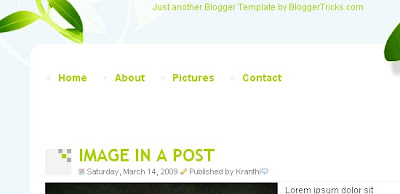
navlinks
Just find this code in the template...

<li><a href='#'>Home</a></li>

<li><a href='#'>About</a></li>

<li><a href='#'>Pictures</a></li>

<li><a href='#'>Contact</a></li>


and replace the links for your interest.
Suppose if you want to link to Google, Yahoo and Blogger.. the code should be..


<li><a href='http://google.com'>Google</a></li>

<li><a href='http://yahoo.com'>Yahoo</a></li>

<li><a href='http://blogger.com'>Blogger</a></li>


That's it! Now your template is successfully installed!


Blogger Tricks

READ MORE - "Floral Concept" 3 Column Blogger Template

Another 3 Column Blogger Template "Hot Coffee"

Hello guys.. I'm back again! Sorry for not updating the blog frequently as I'm busy preparing for the exams.. Anyways.. here is my latest Wordpress to Blogger conversion.. "Hot Coffee". The template is 3 columns with two sidebars on the right side. The template suits well for blogs related to foods,drinks,cooking,etc..

Look at the screenshot:

HotCoffee Blogger Template screenshot


Template Installation:

(Before uploading any new template, backup your current template first)

1. After downloading the template, extract the file using winzip or winrar. Sign in to Blogger and go to Layout � Edit html
and upload the downloaded xml file using the Upload button and Save the Changes.

Editing the Top Navigation Links:

navlinksAfter installing the template, you can edit the top navigation links to your desired links.. Just search for this code in the template ( Ctrl+F to search)


<li><a href='#'>About</a></li>

<li><a href='#'>Resources</a></li>

<li><a href='#'>Contact</a></li>


and SAVE THE CHANGES.

Installing "Hot Coffee" Blogger Template - Video Tutorial:


READ MORE - Another 3 Column Blogger Template "Hot Coffee"

'White Roses' 3 Column XML Blogger Template

"WHITE ROSES" 3 column XML Blogger Template:

white roses blogger template

You can see the Demo site here or download using the below link

Download this template

Well,Several people asking me via their comments,emails to make xml blogger templates rather than the Classic Blogger templates.So,I decided to switch to the new blogger beta templates which is preferred by most people.

About this template:

As you see,it is a lovely xml blogger template,name "White Roses".It is a 3 column template with two sidebars.

How to install this template?

If you are a new blogger or don't know how to install a xml blogger template,read this
How to install a xml blogger template?

If you like the template or do you have any questions,comment here.

Don't forget to Subscribe!

READ MORE - 'White Roses' 3 Column XML Blogger Template

Flowers 3 Column Blogger template-download

3 Column Flowers Classic blogger template:
You can see the DEMO SITE HERE

Download this template


This is another beautiful looking 3 column classic blogger template.It has two sidebars and a navigation menu at the top,so looks Professional and highly custamisable.

How to install this template?
1.Sign in to your blogger dashboard>layout>edit html
2.Scroll down and click on the 'Revert to Classic Template' and click OK when the pop up window comes.
3.Replace the template code with the one you have downloaded.

Still can't understand? Here is the detailed description on HOW TO INSTALL A CLASSIC BLOGGER TEMPLATE [with screenshots]

More and more templates and blogging tips are coming........so, Subscribe to my Blog feed or Email subscription,so you won't miss them.
Please leave the comments if you like the template of if you have any questions,doubts regarding this template.
READ MORE - Flowers 3 Column Blogger template-download

Maroon 3 Column Blogger template -Download Now!

Maroon 3 Column Blogger template:

You can see the demo site here or download directly

Download template

Here is another 3 column blogger template for you guys.Two sidebars give the template extra flexibility than the two column templates.This is adsense supportive,ie..it is designed to provide you more space for your adsense units and you can manage them easily.

This is a Classic Blogger template guys.If you don't know how to install a classic blogger template in 'new blogger',Please read this.[I will show you how to install the classic blogger with screenshots]

If you like the template,please add the comments or if you have any doubts about installing the template,ask me.

More templates coming very very soon........Don't forget to subscribe to my rss feed or Email subscription inorder to don't miss it.

Kranthitips-Your online source for Free Blogger templates


READ MORE - Maroon 3 Column Blogger template -Download Now!

Beautiful 3 Column Blogger template-Download Now!

Blue Stars 3 Column Classic Blogger template

Click Here to See How it looks in your blog.....

Download Now!


Template Feautures:

  • 3 columns
  • Professional look
  • Navigation menu at the top
  • Beautiful looking Sidebars
  • Highly Custamisable
  • & many more...............
How to install this template?

Sign in to your blogger dashboard>Click on the 'layout' link>Edit html [see the screenshots below]


Next,Scroll down and click on the 'Revert to Classic Template' and Click on 'OK' when a pop up window comes.
Revert to classic template That's it,Replace template code with the downloaded template(the template is in the text file)and SAVE THE CHANGES.

Note:All the images in the template are hosted by Photobucket(Image hosting service)

This template is downloaded by hundreds of people.So,if my account bandwidth exceeds,the images may not show in your blog.So,I provided the images in your downloaded file.All you need to do is upload that images to your own image hosting server(like Photobucket,Imageshack.us).I recommend Photobucket).They provide direct links for the images.After uploading your images,replace the image links in the template with your own image links(given to you by photobucket).

For example,I uploaded the header image to photobucket and the direct link for that image is

http://i219.photobucket.com/albums/cc286/7kranthiswaroop/stars_1c.jpg

After,you uploaded the image to your own server,they will give you a link like

http..........................jpg, Simply replace the above url with your own url.

Search the image url's in the template(the one's starting with http and ending with jpg) and replace them.

-Thanks guys for your support....

Blogger Tricks

READ MORE - Beautiful 3 Column Blogger template-Download Now!
 

Support By Blogger
