Adding meta tags to blogger(blogspot) blogs,websites-SEO

If you don't know what meta tags are, and what is the importance of adding meta tags, here is the detailed description on how to add them to your blogger(blogspot) blogs or any website.

Do you know adding meta tags is so important if you want to get more traffic from search engines like google,yahoo,msn,etc,especially the meta description is the most important one.

If you don't know what meta tags are,Meta tags are the tags which describes your site and tells the search engines what your site is all about.Adding meta tags is an important factor in SEO.(Search Engine Optimisation).Meta tags allows search engines to index your web pages more accurately. In other words,Meta tags communicate with the search engines and tells more information about your site and make it index correctly and accurately.
Here is an example.This is what I got when I typed 'Kranthi tips' in the Google Search Engine.


adding meta tags to blogger
As you can observe.'Tips and tricks............' is the meta tags description which I added to my site.

We have to add two meta tags to the head section of the template.One is the Meta description which describes your site and another one is Meta Keywords which tells about your site keywords(what your site is all about)

Here is how to add meta tags to your blogger(blogspot) blog:

1.Sign in to your blogger dashboard>click the 'layout' button[see the screenshot below]
click on the 'layout' link
2.Click on the 'Edit html' tab
click on the 'edit html' tab


Here is the code you have to add


<meta content='DESCRIPTION HERE' name='description'/>
<meta content='KEYWORDS HERE' name='keywords'/>
<meta content='AUTHOR NAME HERE' name='author'/>


DESCRIPTION HERE:Write your blog description
KEYWORDS:Write the keywords of your blog
AUTHOR NAME:Write the author's name(Your name)


{ UPDATE : }
Now..You don't need to do it manually.. I created an automatic Meta Tags Generator to make this process easy for you!
Just go to this page and Enter some basic information like keywords,description,etc.. It will automatically generate you error free, effective Meta tags. Once done, copy that code and follow the next step.

3.Add the above code just after this [Look at the below screenshot]
<b:include data='blog' name='all-head-content'/>


add the code just like this
Don't forget to add description and keywords.
and save the changes.


IMPORTANT:

Several people were filling with just the keywords in the description.DON'T DO THAT.Google and other search engines will ban your site from the search engines list if you did so.And also,don't repeat the keyword more than 3 times.

That's it!You have sucessfully added the metatags to your blogger(blogpsot) blog.If you want to check whether you added the meta tags correctly or not,just type 'meta tags analyzer tool' in the google and you will find so many sites which can check whether you have added the tags correctly or not.


�Blogger Tricks

READ MORE - Adding meta tags to blogger(blogspot) blogs,websites-SEO

How to install a Classic Blogger template in New blogger

How to Install a Classic Blogger template in New blogger:

Guys,it is so easy as 123........Here we go...

1.Sign in to your blogger account and click on the layout link next to your blog name.
click on the layout link
2.Click on the 'Edit html' tab
Click on 'edit html' tab
3.Scroll down and select'Revert to Classic template'[see the screenshot below] and click on OK when a pop up window comes.
revert to classic template
That's it! replace the html code with the downloaded code(the one in the text file)
replace this with the downloaded code
and the most important thing!Don't forget to SAVE THE CHANGES.
READ MORE - How to install a Classic Blogger template in New blogger

How to add Favicon to blogger(blogspot) blog

Adding a favicon to the blogger(blogspot) blog:
For those who don't know what Favicon is 'Favicon is a small icon(image) displayed at the beginning of the address bar of the browser.It is also called Favourite Icon,Pageicon and urlicon.

The main advantage of creating and using favicon is ,it makes it easy to find your blog or site when someone favourited or bookmarked your site/blog among several other sites.


favicon Most of the people use 16*16 pixel favicon(you can also use 32*32 pixel favicon) with ".ico" format.But,you can also use gif,png(image formats) aswell.

So,ready to create a favicon?

Updated:
I created a Free Favicon generator tool which will save lot of your time. Just go to this page and upload any image file (JPG or GIF or PNG or BTM) and it will automatically convert it to icon file and you can save it to your desktop.
Next, you need to upload it to some host. There are lot of free hosts available to host .ico files and with hotlinking enabled.. Just do a quick google search.
Once you upload it to some host. you get a direct url to the favicon file..
Ex:

http://howshealth.com/favicons/bt.ico

Next, Skip the below part and go to Next step..

{SKIP THIS PART- ITS OLD} {start}

All you need is a program to create a favicon in (.ico) format.If you haven't a program to create in .ico format,No Problem....you can also use png or gif format.If you have Photoshop, or any other programs like that,open it and create a 16*16 image and save it as .png or gif format [look at the below screenshot below] or there are so many online sites which can create a favicon for you,just search by typing'free online 16*16 icon generator' in google.They ask you to upload a picture from your desktop,and they convert it into 16*16 .ico file.

save the image in png format So,Now your icon is ready...You are just a few steps away from creating a beautiful favicon for your site...

Now,go to Google Page Creator
and upload your icon file by clicking on the upload link(look at right side) and browse the file and note down the url of the file by clicking on the file.[see the screenshots below]


note down the url


{SKIP THIS PART- ITS OLD} {end}


Now,go to your blogger dashboard>layout>Edit html[look at the below screenshots]


and look for this code(it is at the top the template)


<title><data:blog.pagetitle/></title>

and add the below code just after the above one[as shown in the below screenshot]

<link href='ICON FILE URL' rel='shortcut icon'/>
<link href='ICON FILE URL' rel='icon'/>


and replace the 'ICON FILE URL' with the url of your icon file.(like http://howshealth.com/favicons/bt.ico)
That's it! Now you can see a beautiful favicon in your blog.

Fee free to add the comments.....and doubts(if any?)

� Blogger Tricks

READ MORE - How to add Favicon to blogger(blogspot) blog

How to disable right click in blogger(blogspot) or any webpage

This post explains how to disable right click on blogger(blogspot) or any other webpage using a html(javascript) code.
It is so annoying if someone copies(thefts) your blog posts,articles,images and another kind of information owned by you saying that they are the original owners of the content.
But,I think 'disabling right click' is not the right solution for that.
Most people come to your site to read information and very small percentage of people come to your site to steal your work,images,etc.So,most people feel it insulting and I think it's very unprofessional thing to do

If you want to protect your images,my suggestion is to add a Watermark(logo) of your sitename,or your name on the images,pictures,etc.
Note:Using this javascript code,you only disable the right click by warning the visitors that the content is copyrighted.

That's all my personal opinion,However if you despirately want to add this feauture,You can get this code here.


Where to paste it in blogger ?
Sign in to your blogger dashboad>layout>Add a Pageelement>html/javascript(look at the screenshot below)
and paste the below javascript code and Save the changes.

How it works?
If you right click on the webpage,a message will pop up on screen saying "function disabled".If you want to change the message to you own one like "sorry....the work is copyrighted" or something like that,replace the "funtion disabled" text with your own message in the Javascript code.

�Kranthitips

READ MORE - How to disable right click in blogger(blogspot) or any webpage

Add Star ratings widget to your blog posts & get instant feed back from the readers

Are you curious about what readers are thinking about your posts? then, you can add this beautiful looking outbrain 5 stars rating button to your blogger,wordpress,typepad,etc.You can also use this ratings button in any webpage.By adding this,you will automatically get the beautiful five stars rating widget just below every post.


This was very simple,easy to use,free and you don't need to register to grab this widget.By adding this widget,you will get instant feedback by your readers.

Most of the visitors feel a bit lazy to write a comments,so with this widget,they will help them and rate your posts as easy as 123.

You can get this rating widget here.Thanks to outbrain for providing this great widget.

�Kranthitips

READ MORE - Add Star ratings widget to your blog posts & get instant feed back from the readers

Submit blogger sitemap to yahoo to index your web pages

This post explains how to submit your blogger sitemap to Yahoo.By submitting your sitemap to yahoo, they will index your web pages in yahoo search engine and provide you with detailed information related to your blog like which pages are linking to yours,popular pages in your site and you can submit and track feeds for your sites.
Also,you have the choice to delete any urls of your blog if you won't want to index certain pages of your site.
Submitting your site to yahoo is easy and give your web pages more exposure.
All you need is a YAHOO ACCOUNT(ID).However,you don't need an yahoo ID to know the information like how many pages are indexed,etc.But,if your blog is a new one or no pages in your blog are indexed(type your blog url in yahoo search and see to check whether your web pages are indexed or not), then you want Yahoo id to submit your sites,feeds,etc.
Let't see how to make yahoo index your webpages by submitting your blog sitemap.
1.Go to Yahoo Site Explorer


2.Click on the 'Sign in' link which is at the top of the page,see the screenshot below(If you don't have a Yahoo id, you can get one here) and sign into your accoutnt.

click on the 'sign in link'

3.Type your blog url in the box provided as shown in the below screenshot.Don't forget to replace the 'yourblogurl' with the original url of your blog and click on the 'Add My Site'

4.After adding your site,you need to Authenticate(Verify your ownership).
There are two ways to verify your ownership.One is to upload a file to the root directory of your site which can't be possible in blogger.

Another one is to 'adding a metatag' which is possible and the only way to verify ownership for bloggers.First,copy the metatag..
Next,sign in to your blogger account>Edit html and paste the metatag below the head tag and SAVE THE CHANGES,look at the screenshot below.

Next,you will get a message saying that 'Your site is pending authentication'

Note:Don't remove the metatag,they will revalidate your ownership by checking your ownership regularly.

5.Next,go back to the 'Site explorer home', and check the box next to your blog url and click on the Manage button.


6.Type rss.xml or atom.xml in the box provided.It helps yahoo to discover more of your site content via your rss or atom feeds and to index your blog pages quickly whenever your blog is updated.Next,click on the add feed button.


That's it.Now,you have sucessfully submitted your blog sitemap to yahoo.Check your account after a couple of days and you will see your blog indexed in yahoo search engine.

Meanwhile,if you didn't submitted your blog sitemap to google,please read this about How to Submit your blog sitemap to Google

READ MORE - Submit blogger sitemap to yahoo to index your web pages

Submit blog to blog directories and increase the traffic

This post explains how to increase your blog traffic by submitting your blog to different kinds of blog directories which rates,provide statistics about your blog and provide free traffic and maximum exposure to your blog.
Submitting your blog to these directories is a very good thing to do particularly if your blog is very new one with low traffic.
These blog directories have high pageranks than your blog(since your blog is a new one with pagerank Zero).So, if someone searches for a particular keyword,there is more possibility for the blog directory to appear in the results than yours.So,by adding your blog to these directories,the visitors enters these directories containing your articles(when they click the article,they enter your site) and also your blog posts will be indexed little faster.So,submitting your blog to these directories will gain you more traffic.
(If your blog is a new one,then put a visitors tracker button in your blog,sothat you will see how many visitors are coming from these directories,from search engines,visitors geolocation,etc).

Here are a few popular visitor tracker websites:

1.Histats(histats.com)
2.Sitemeter(sitemeter.com)
3.Statcounter(Statcounter.com)
So,let me come to the main topic...
Before submitting your blog to these blog directories,my personal suggestion is to create a new email address for this purpose so,your personal emails can't flooded with the emails from the blog directories administrators,etc.)Creating an email is free lol....creat one.

Many of these directories asks you to register before submitting blogs.
There are so many hundreds of blog directories,here is the list of very good popular directories which will send you maximum traffic.


LIST OF POPULAR BLOG DIRECTORIES:

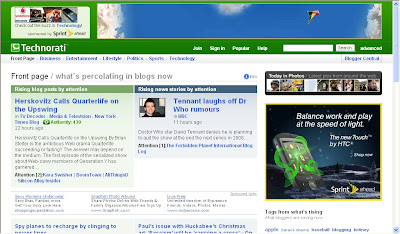
Technorati:Technorati is the largest blog(weblog) directory currently tracking more than 112.8 million blogs.Join technorati and verify your authorship,then you will be provided with detailed statistics regarding your blog,how many blogs are linking to your blog,(they call it 'authority').It is one of the best blog directory and will send tons of triffic if your blog is regularly updated.

Topblogarea:This is another big blog directory which rates and rank the blogs interms of Unique visitors your blog gets.They start the counting from Zero every week, so that even newly submitted blog can have the chance to rank higher in the list.

Topblogging.com:This is another source of weblogs which also rank the blogs according to the unique hits they get.Nice blog resource,bring you lots of traffic to your blog.
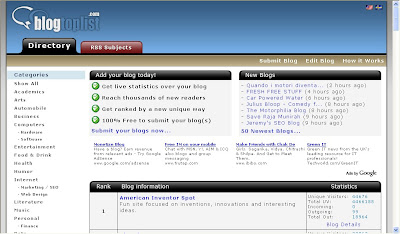
Blogtoplist:Same here,they rank according to the unique hits you get.But,there is a little change, they will give you to place a voting button in your blog.If any visitor votes for your site from your blog,that is equal to 100 unique hits,but there is only one chance per visitor(one IP address) a day.

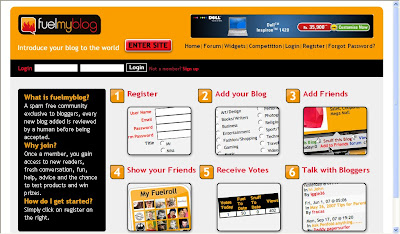
Fuelmyblog:This is a cool weblog resource which is different from the ones we discussed so far.You can vote to other blogs and others vote to you.They will keep the top six blogs(voted the most) on the homepage.You can join their forums, read other blogs content,joining in the compitetions and win prizes,etc.

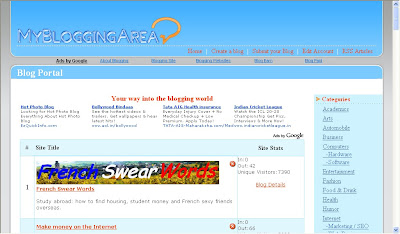
MyBloggingarea:This is a very good weblog directory which ranks the blogs accoring to the unique visitors they get,brought me so much traffic to my celebrity blog than all the other blog directories.I recommend this.

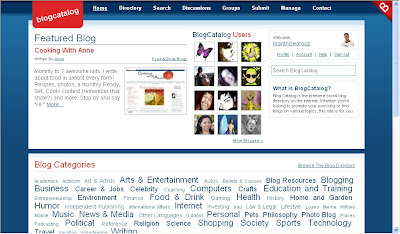
BlogCatalog:It is another good blogging resource,you can promote your blog here for FREE,find other blogs related to yours,etc.They have a special formula to rank the blogs,the more visitors,hits,comments,neighbourhood you get the more your rank will be.Another recommended one.You can join their forums,discussion board,groups,etc with other bloggers and share your thoughts.

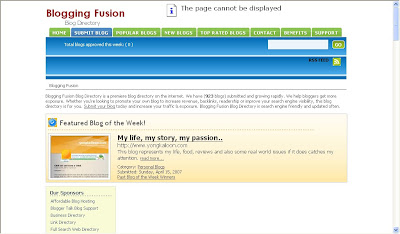
BloggingFusion:It is a new one and not a very big one(around 950 blogs) at this time.But,it is a good one and doing pretty well.You can increase your blog exposure, worth a link to it.

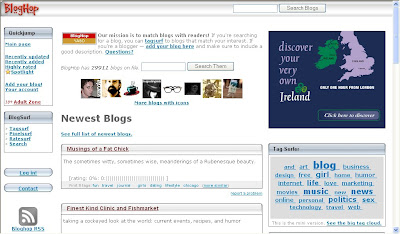
Bloghop:You can find blogs related to your blog topic here.Have a nice tracking button and currently having more than 29,000 blogs.

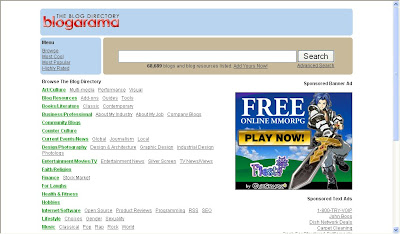
Blogarama:Cool weblog directory currently having more than 69,000 blogs.It will list the blogs in terms of the score your blog have.The score depends on so many things like incoming traffic,outgoing traffic,user ratings,etc. and if you send more traffic to they,they will list your blog in the top 100 blogs.

Topbloglists:Another blog directory which will rank your blog according to the unique hits your blog will get.


Myblogdirectory:This doesn't list blogs interms of any visitors,etc. All blogs are listed randomly so,every blog get the same exposure.If you sent more traffic from your blog to them,your blog will be choosen as a BLOG OF THE DAY which will be placed on the homepage and your blog will recieve the whole traffic their site gets on that day.


Blogroll.net:Another blog resouce which rank accorking to the votes and unique hits your blog get.


READ MORE - Submit blog to blog directories and increase the traffic
 

Support By Blogger