
Now Blogger has introduced a new feature again. They currently offers five dynamic views for public blogger blogs. These views are only accessible if allowed for by the blog author. You can also can see a message in your blogger dashboard. Use this new feature you must configure your sire feed as "Full". Unless it will not work.

To enable this new 5 dynamic view feature for your blogger go to Settings --> Site Feed. Now from "Allow Blog Feeds" section, select the option "Full" and click on save. Now you blogger blog ready for this "Five New Dynamic Views" feature.

To view this dynamic views simply follow the url formats given below:
Flipcard : available at [yourblogURL]/view/flipcard
Mosaic : available at [yourblogURL]/view/mosaic
Sidebar : available at [yourblogURL]/view/sidebar
Snapshot : available at [yourblogURL]/view/snapshot
Timeslide : available at [yourblogURL]/view/timeslide
Replace [yourblogURL] with your blogger blog url.
For example, click on the links given below to see how this work :
Flipcard : http://www.bloggertipandtrick.net/view/flipcard
Mosaic : http://www.bloggertipandtrick.net/view/mosaic
Sidebar : http://www.bloggertipandtrick.net/view/sidebar
Snapshot : http://www.bloggertipandtrick.net/view/snapshot
Timeslide : http://www.bloggertipandtrick.net/view/timeslide
These views require modern browsers such as Internet Explorer 8+, Firefox 3.5+, Chrome or Safari. Many elements of these views will not work should you have an older browser.
Flipcard View : http://www.premiumbloggertemplates.com/view/flipcard

Mosaic View : http://www.premiumbloggertemplates.com/view/mosaic

Sidebar View : http://www.premiumbloggertemplates.com/view/sidebar

Snapshot View : http://www.premiumbloggertemplates.com/view/snapshot
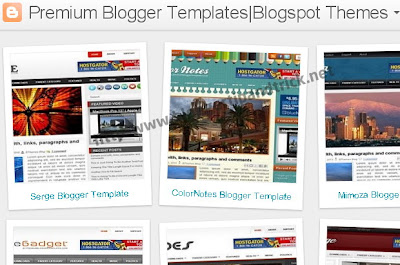
Timeslide View : http://www.premiumbloggertemplates.com/view/timeslide

You can view more info about this here : http://www.google.com/support/blogger/bin/answer.py?hl=en&answer=1229061
READ MORE - Blogger New Feature : Five New Dynamic Views

To enable this new 5 dynamic view feature for your blogger go to Settings --> Site Feed. Now from "Allow Blog Feeds" section, select the option "Full" and click on save. Now you blogger blog ready for this "Five New Dynamic Views" feature.

To view this dynamic views simply follow the url formats given below:
Flipcard : available at [yourblogURL]/view/flipcard
Mosaic : available at [yourblogURL]/view/mosaic
Sidebar : available at [yourblogURL]/view/sidebar
Snapshot : available at [yourblogURL]/view/snapshot
Timeslide : available at [yourblogURL]/view/timeslide
Replace [yourblogURL] with your blogger blog url.
For example, click on the links given below to see how this work :
Flipcard : http://www.bloggertipandtrick.net/view/flipcard
Mosaic : http://www.bloggertipandtrick.net/view/mosaic
Sidebar : http://www.bloggertipandtrick.net/view/sidebar
Snapshot : http://www.bloggertipandtrick.net/view/snapshot
Timeslide : http://www.bloggertipandtrick.net/view/timeslide
These views require modern browsers such as Internet Explorer 8+, Firefox 3.5+, Chrome or Safari. Many elements of these views will not work should you have an older browser.
Flipcard View : http://www.premiumbloggertemplates.com/view/flipcard

Mosaic View : http://www.premiumbloggertemplates.com/view/mosaic

Sidebar View : http://www.premiumbloggertemplates.com/view/sidebar

Snapshot View : http://www.premiumbloggertemplates.com/view/snapshot

Timeslide View : http://www.premiumbloggertemplates.com/view/timeslide

You can view more info about this here : http://www.google.com/support/blogger/bin/answer.py?hl=en&answer=1229061


